.svg)
The Ultimate Guide to Modular Home Design Software
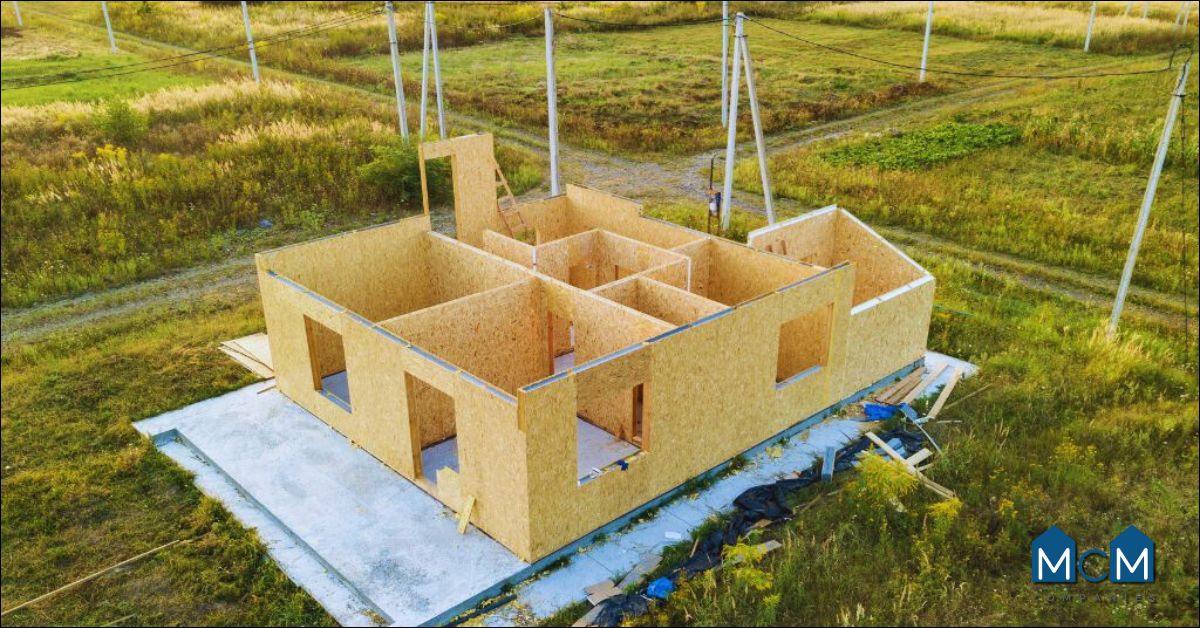
Modular construction is helping reshape the homebuilding process by making it more efficient, organized, and predictable. Instead of completing every phase of construction at a single job site, modular homes are built in sections, often called modules, in a controlled manufacturing environment before being transported and assembled on the home site.
For builders, developers, architects, and future homeowners, that process creates a major need for accurate planning. Every wall, utility connection, roofline, room dimension, and finish selection must work together before the modules arrive for installation. That is where modular home design software becomes essential.
The right software does more than create attractive floor plans. It helps teams coordinate designs, visualize completed homes, improve communication, estimate materials, reduce avoidable revisions, and make smarter decisions from the earliest planning stages.
At MCM Communities, we believe attainable housing should never mean settling for a home or neighborhood that does not reflect your goals. Modern modular housing can provide a practical path toward homeownership while still delivering thoughtful layouts, attractive finishes, quality construction, and communities families feel proud to call home.
This guide explains what modular home design software is, how it supports the modular construction process, which features matter most, and how to choose a platform that supports your project now and as your needs grow.
What Is Modular Home Design Software?
Modular home design software is a digital planning and visualization tool used to create, organize, and manage modular home projects. It helps users turn an initial housing concept into detailed plans that manufacturers, builders, engineers, contractors, and homeowners can understand and use.
Depending on the platform, modular home design software may include tools for:
• Creating 2D floor plans
• Building detailed 3D home models
• Configuring modular sections and room layouts
• Planning structural components
• Estimating materials and costs
• Coordinating plumbing, electrical, and HVAC systems
• Sharing plans with project stakeholders
• Reviewing design changes before production begins
• Preparing documentation for approvals and construction
Unlike a basic home sketching tool, a robust modular home design software platform is designed to support the level of coordination required for off-site construction. In modular building, home sections are often manufactured before work begins at the final property location. Because those sections must fit together accurately, planning errors can become expensive if they are discovered too late.
For example, a design team may use software to confirm that a kitchen module aligns properly with a bathroom module, that plumbing connections are correctly placed, and that the roof structure matches across separate sections of the home. The software can help the team identify conflicts early, before materials are ordered or modules move into production.
For homebuyers, visualization tools can make the process easier to understand. Instead of trying to imagine a home from a flat drawing, buyers can review room layouts, see exterior elevations, compare finishes, and better understand how their future space may feel.
That added clarity supports better decisions and helps turn a home purchase into a more confident experience.
Why Modular Home Design Software Matters
Modular construction depends on preparation. A conventional site-built project may allow for certain adjustments as work progresses, but modular projects require a greater degree of coordination before the building process begins.
Once a module is manufactured, making major changes can require added labor, redesign work, shipping adjustments, or production delays. That is why modular home design software plays such an important role in protecting timelines, budgets, and quality expectations.
A well-planned software workflow allows teams to review a project before construction begins. It creates an opportunity to test the design, review measurements, check system placement, confirm module connections, and communicate requirements clearly across the project team.
Key benefits include:
• More accurate floor plans and dimensions
• Better coordination between designers, builders, and manufacturers
• Faster design revisions during early planning
• Fewer misunderstandings about layout and specifications
• More consistent documentation across project phases
• Improved material planning and budget forecasting
• Clearer presentations for clients, buyers, and investors
• Reduced risk of last-minute changes during installation
Modular housing is about more than speed. It is also about creating homes that feel intentional, comfortable, and built around the way people live. A thoughtfully designed modular home can include open living spaces, modern kitchens, flexible bedrooms, energy-conscious features, welcoming front porches, and finishes that give residents a sense of pride.
At MCM Communities, we see modular housing as an opportunity to deliver a better version of attainable homeownership. Families deserve a home that fits their budget without sacrificing comfort, appearance, or a sense of belonging. They also deserve a neighborhood that feels cared for, safe, clean, and thoughtfully managed.
The right design process helps make that possible.
How Modular Home Design Software Supports Each Stage
Modular home design software can support a project from the first concept through planning, production, installation, and final presentation. Features vary by platform, but most systems are built to improve coordination across the entire project lifecycle.
Early Concept Development
The process often begins with an idea. A homeowner may want a three-bedroom floor plan with an open kitchen. A developer may need multiple home models that fit within a planned community. A builder may want to offer flexible designs that can be adjusted for different lot sizes and buyer preferences.
During this stage, modular home design software helps users explore possibilities quickly. Teams can test home sizes, room configurations, exterior styles, garage placements, porches, storage solutions, and other core design elements.
A designer may begin with a base model and create variations for different buyer needs. For instance, one version may feature a larger primary bedroom, while another may convert that space into a home office or additional guest room.
This flexibility can help builders and communities offer more choices while maintaining an organized product catalog.
Detailed Design and Documentation
Once the concept is approved, the software can help transform it into a more detailed construction plan. This may include room dimensions, wall placement, windows, doors, roof design, utility systems, cabinet layouts, and structural elements.
Detailed documentation helps each project participant understand what is expected. Manufacturers need clear production specifications. Contractors need reliable installation details. Engineers may need structural information. Homebuyers benefit from clear plans that show what they are purchasing.
A strong modular home design software platform can act as a central source of information, reducing the chance that different teams are working from outdated plans.
Factory and Module Coordination
One of the most important uses of modular home design software is coordinating the home’s separate modules. Each section must be designed with transportation, lifting, placement, and assembly in mind.
The software can help users account for:
• Module dimensions
• Connection points between sections
• Structural alignment
• Roof and ceiling transitions
• Plumbing and electrical locations
• Mechanical systems
• Transportation considerations
• Foundation placementInstallation sequencing
When those details are considered early, the finished home is more likely to come together smoothly. This is especially important for projects involving multiple home models or larger community developments where consistency and repeatable processes can improve efficiency.
Client Review and Approval
For homeowners and investors, seeing a design before construction begins can make the approval process far easier. Instead of relying only on technical drawings, clients can view 3D models, walk-throughs, rendered interiors, and exterior perspectives.
This helps people ask more informed questions, such as:
• Does the kitchen provide enough workspace?
• How will the living room connect to the dining area?
• Is there enough storage near the entry?
• Will the bedroom layout provide privacy?
• How will natural light enter the home?
• Does the exterior style match the neighborhood vision?
Clear visualization creates confidence. It helps future homeowners feel involved in the planning process, rather than feeling like they are simply choosing from a limited set of options.
Ease of Use for Builders and Homebuyers
Not every person using modular home design software will have the same level of technical knowledge. Architects and engineers may need advanced modeling tools, while sales teams, builders, or homeowners may need a simpler way to explore layouts and make selections.
The best platform depends on the person using it and the goals of the project.
For beginners, user-friendly features can make a major difference. Look for software that includes intuitive navigation, clearly labeled tools, templates, drag-and-drop functionality, and helpful support resources.
Useful beginner-friendly features include:
• Pre-designed modular floor plan templates
• Drag-and-drop furniture and room elements
• Easy room resizing tools
• Visual libraries for windows, doors, cabinetry, and finishes
• Guided setup processesTutorials and training materials
• Simple 3D viewing options
• Cloud-based sharing for team feedback
For professional teams, more advanced features may be necessary. Architects, engineers, and manufacturers may require detailed drafting, building information modeling, structural calculations, utility coordination, and compatibility with other design systems.
The key is choosing a platform that supports the required level of detail without overwhelming the people who need to use it every day.
For example, a developer managing several modular home models may need a professional system for technical documentation. At the same time, their sales team may benefit from a simpler interface that allows prospective buyers to compare layouts, finishes, and exterior options.
A connected approach can support both needs.
3D Modeling and Visualization Features
One of the most valuable features of modular home design software is the ability to visualize a home in three dimensions. A 2D floor plan remains important, but it does not always communicate how a space will feel once it is built.
3D modeling helps users see the relationship between rooms, walls, windows, finishes, ceiling heights, furniture, and exterior elements. This makes it easier to identify design concerns before a home enters production.
Common visualization features include:
• Interior 3D walk-throughs
• Exterior elevation views
• Virtual room layouts
• Lighting previews
• Material and finish selections
• Furniture placement tools
• Landscape visualization
• Multiple camera angles
• High-quality renderings
• Virtual reality or immersive viewing options
These features can be particularly helpful when designing a home for families who want both functionality and a polished look. Buyers may be able to compare cabinet colors, flooring choices, exterior siding, front entry styles, and room arrangements before finalizing their decisions.
Imagine a family choosing between two living room layouts. In one version, the kitchen island faces the dining area. In the other, the island creates a more direct connection to the living room. A 3D model can help them understand how each layout affects traffic flow, entertaining, sight lines, and day-to-day comfort.
That level of visibility can help a buyer move forward with greater confidence.At MCM Communities, we believe that people should feel excited about their home. A modular home should not feel like a compromise. It should feel like a carefully chosen place where families can create routines, host loved ones, relax after work, and take pride in their surroundings.
Visualization supports that emotional connection by helping buyers see the potential of a home before it is completed.
Precision for Construction Specifications
Modular construction requires a high degree of accuracy because different home sections must align correctly during assembly. A small issue in one module can affect walls, plumbing, roofing, flooring, electrical systems, and finishing details in another.
That is why precision is one of the most important qualities to look for in modular home design software.
A capable platform should provide tools that support detailed measurements, scalable drawings, and clear construction documentation. It should help the team move from a design idea to a buildable plan that can be understood by manufacturers and installation crews.
Important precision-related features include:
• Detailed dimensioning tools
• Accurate scaling and measurement settings
• Structural framing support
• Foundation planning tools
• Roof and ceiling design options
• Electrical layout coordination
• Plumbing fixture and line placement
• HVAC system planning
• Door and window specifications
• Material quantity calculations
• Revision tracking
• Code and permitting documentation
When teams use clear and consistent plans, they are better positioned to avoid miscommunication. This can be especially valuable in modular projects because the home’s major components are often completed before they arrive at the final property.
Precision also supports quality. A home should not only look good in a rendering. It should function well for the people living in it. That means considering practical details such as storage, kitchen workflow, bathroom access, laundry placement, bedroom privacy, entryway design, and accessibility.
The best modular home design software helps balance appearance, construction requirements, and everyday livability.
Simulation, Analysis, and Cost Planning
Many advanced modular home design software platforms include simulation and analysis features. These tools help users evaluate how a design may perform before construction begins.
The value of these features is that they encourage early decision-making. Instead of discovering a concern after plans are finalized, a team can review potential issues while changes are easier to manage.
Depending on the platform, analysis tools may include:
• Energy-use estimates
• Insulation planning
• Heating and cooling assessments
• Daylight and sunlight analysis
• Structural load analysis
• Wind and snow load considerations
• Material takeoffs
• Preliminary cost estimates
• Budget tracking
• Construction schedule planning
• Environmental impact reporting
Cost planning is especially important for buyers and developers who want greater predictability. A modular home project may involve home costs, site preparation, transportation, foundation work, utility connections, installation, permits, landscaping, and community improvements.
Using software to organize these categories can help teams better understand the project scope. It can also help identify where design choices affect budget.
For instance, changing a home’s roofline, adding a covered porch, upgrading windows, or selecting premium exterior materials may influence cost. That does not mean those choices are wrong. It simply means buyers and project teams should understand the impact early enough to make decisions that align with their priorities.
At MCM Communities, value means more than choosing the lowest possible price. It means investing in a home and community that support stability, comfort, and lasting pride. A carefully planned modular home can help families pursue homeownership with a clearer path forward.
Conclusion
Designing a modular home takes careful planning, strong communication, and accurate design work. Modular home design software brings all of these pieces together in one place, making it easier to move from concept to construction.
With the right tools, you can:
• Minimize errors during the building process
• Speed up revisions and approvals
• Make informed decisions about layouts and materials
• Keep your project on budget
• Deliver high-quality results for your clients
If you’re considering modular home construction, using the right software and having the right support can make a major difference.
MCM Communities partners with builders, architects, and developers to help bring well-designed modular homes to life. Whether you're starting your first project or managing a growing portfolio, we’re here to guide you with the tools, experience, and services you need.
Contact MCM Communities today to see how we can help you succeed with modular homes.
FAQs
What is modular home design software used for?
Modular home design software is used to create floor plans, visualize home layouts in 3D, and manage every stage of the modular construction process. It helps streamline communication between homeowners, architects, and builders by aligning digital plans with factory-built components.
Is modular home design software suitable for beginners?
Yes, many modular design tools are beginner-friendly and offer features like drag-and-drop interfaces and pre-built templates. Some also include tutorials or onboarding guides to help new users get started quickly.
Can I preview my modular home design in 3D?
Most modern design platforms include 3D modeling tools that allow you to explore the home from various angles and adjust visual elements like lighting and finishes. These features help spot layout issues and improve client presentations before construction begins.
How accurate is the software for construction specs and measurements?
Modular design software includes detailed measurement tools, structural planning features, and support for integrating systems like plumbing and HVAC. This precision ensures the digital design matches what's built in the factory, reducing errors and rework.
What features should I look for when choosing a modular home design platform?
Look for software that’s easy to use, offers strong 3D visuals, and integrates with other tools like AutoCAD or Revit. Also consider budgeting tools, code compliance checks, and customer support when comparing options.